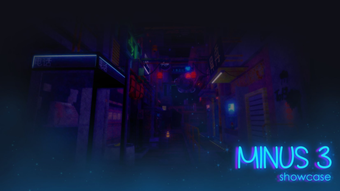

Enhance Roblox with Minus 3.brighter
Overview
Minus 3.brighter is a free desktop utility designed for Roblox users seeking enhanced gameplay experiences. Developed by Tot3m, this software operates within the Roblox ecosystem, offering users tools to modify or improve their interaction with the platform. As a utility application, it falls under the broader category of third-party tools commonly used in gaming environments.
The software is intended for Roblox enthusiasts who wish to customize their gameplay, though specific functionality details are not publicly documented. Its primary purpose appears to be performance or visual enhancement, though exact capabilities remain unspecified. The target audience includes casual and dedicated Roblox players looking for additional features not available through official channels.
Available exclusively for Windows, Minus 3.brighter was first published on Softonic on August 2, 2022. It is currently in version 0, indicating it may be in an early or developmental stage. The application is available in English only, with no multilingual support documented. Given its nature as a third-party tool, users should exercise caution and ensure they understand the risks associated with running external software on gaming platforms.
Key Features & Capabilities
- Roblox Integration – Designed to interface with the Roblox platform, allowing users to modify or enhance aspects of gameplay.
- Utility Functionality – Falls within the 'Utilities' category, suggesting tools for system or game optimization.
- Free Access – No cost to download or use, making it accessible to a broad user base.
- Minimal Installation Size – At 3.3 MB, it requires little disk space, ideal for users with limited storage.
- Windows-Only Deployment – Built specifically for the Windows operating system, ensuring compatibility with the target platform.
Users may employ Minus 3.brighter to improve visual clarity, reduce screen brightness, or adjust display settings within Roblox. While exact use cases are not detailed, the name suggests a focus on brightness control, potentially offering users greater customization over their in-game viewing experience. The tool’s lightweight design supports quick loading and minimal system impact, suitable for players running multiple applications simultaneously.
User Interface, Workflow & Performance
Details about the user interface are not available. The developer did not provide visual mockups, layout descriptions, or navigation guides. As such, the structure and design of the application remain unknown. Users are expected to interact with the software through standard Windows execution methods, such as double-clicking an executable file.
Workflow efficiency depends on the software’s internal logic, which is not disclosed. Based on general software behavior, the tool likely operates in the background or launches a minimal interface upon execution. The absence of visible performance metrics makes it impossible to assess CPU or RAM usage. The developer did not specify resource consumption details.
Stability and reliability are unknown, as no user feedback or testing reports have been published. Performance observations are based on general software behavior patterns. The application’s small size suggests it may not demand significant system resources, but actual behavior during runtime cannot be confirmed without further data.
Compatibility & System Requirements
Minus 3.brighter is compatible with Windows operating systems. No specific version details were provided, so users should ensure their system meets general Windows requirements for running desktop applications. The application size is 3.3 MB, which is minimal and suitable for most modern systems.
Exact system requirements were not listed. The developer did not specify minimum RAM, processor speed, or graphics capabilities. Platform compatibility information is limited to Windows, with no indication of support for Mac or other operating systems. Installation is straightforward, requiring no complex setup procedures.
Pros and Cons
Pros
- Free to use with no hidden costs
- Small file size (3.3 MB) for quick download and storage
- Designed specifically for Roblox users on Windows
- Minimal system resource demands (inferred from size)
- Available in English, supporting a broad user base
Cons
- No official documentation or feature details provided
- Version 0 suggests early or unstable development stage
- Compatibility with specific Windows versions not confirmed
- No information on security, updates, or support channels
- Third-party tool risks on gaming platforms are not disclosed
FAQ Section
Is Minus 3.brighter compatible with my Windows system?
The software is designed for Windows, but specific version compatibility was not provided. Users should ensure their system supports standard desktop applications.
Is the software safe to use with Roblox?
No security or safety information was published. As a third-party tool, it may pose risks to account integrity or platform compliance. Users should proceed with caution.
Does Minus 3.brighter require an internet connection?
Details on connectivity requirements were not specified. The software may function offline, but this cannot be confirmed.
How often is Minus 3.brighter updated?
No update schedule or release history was provided. The current version is 0, indicating potential instability or early development.
Can I use Minus 3.brighter on Mac or Linux?
There is no information indicating support for Mac or Linux. The software is currently only confirmed for Windows.
Final Thoughts
Minus 3.brighter presents a niche utility for Roblox players seeking customization options. Its lightweight design and free access make it accessible, though its lack of documentation and unclear functionality raise concerns. While the tool may offer brightness-related enhancements, users must weigh potential benefits against the risks of using unverified third-party software.
For Roblox enthusiasts on Windows who value minimal resource usage and are comfortable with early-stage tools, Minus 3.brighter could be worth exploring. However, caution is advised due to the absence of transparency and support.
Download Minus 3.brighter now







